
Appearance
Settings and license
Owners and admins manage organisation-wide settings under Settings. Changes to endpoint and privacy settings publish a new policy version, so devices pick them up at their next check-in.
Settings
| Page | Contents |
|---|---|
| Organization | Organisation name; console session idle and absolute timeouts; require two-factor authentication for all admins |
| Retention | How long findings, alerts, audit entries, evidence requests and integration deliveries are kept |
| Alerting & devices | Alert grouping window; when a device counts as offline; maximum devices per person |
| Privacy | Pseudonymise people for analysts; notify employees about evidence requests; allow employees to pause capture |
| Endpoint defaults | Device check-in interval, policy refresh, findings batching, maximum scanned size, maximum reported matches, and the notice shown on managed devices |
| Keys | Policy signing keys and the evidence key (below) |
| Admins | Invite, change role, disable, reset password or two-factor authentication |
| License | Current license, seats used, license upload |
| System | Version, nodes, job queue, database and migrations |
Retention defaults
| Data | Default |
|---|---|
| Findings | 365 days |
| Alerts | 730 days |
| Audit log | 7 years |
| Evidence requests and uploaded sealed evidence | 30 days |
| Integration deliveries | 30 days |
A daily job removes expired data. Purging old audit entries keeps the remaining chain verifiable.
Keys
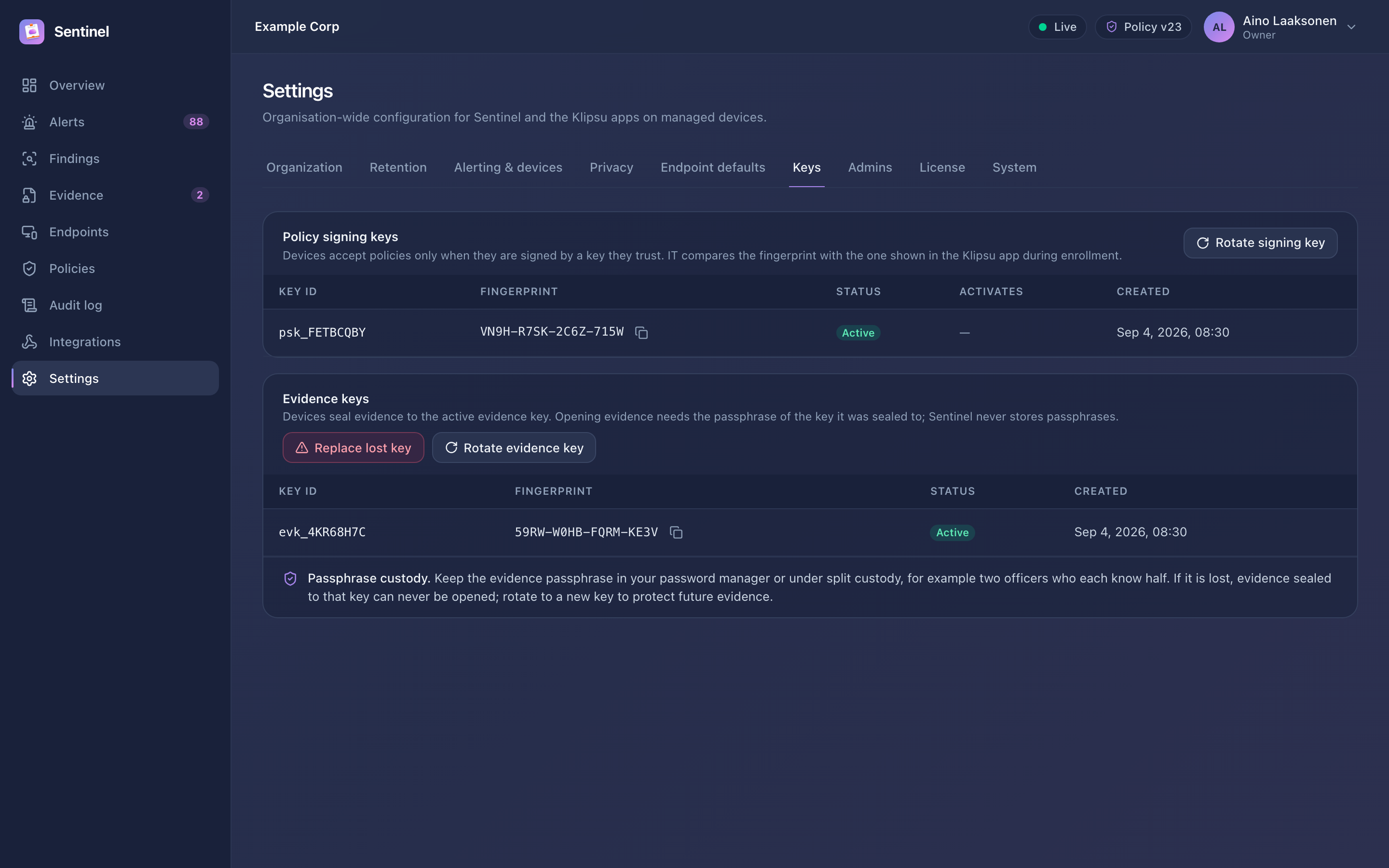
Policy signing keys sign the policies devices download. Rotate creates a new key that devices learn about in advance; it becomes active after 30 days, so no device loses trust. Rotating again before then replaces the announced key and restarts the 30 days.
The evidence key seals evidence on devices:
| Action | When | Effect |
|---|---|---|
| Rotate | Periodically, or when people who know the passphrase change | New key and passphrase for future evidence. Needs the current passphrase, so existing evidence stays openable. |
| Replace lost key | The passphrase is lost | New key and passphrase. Evidence sealed to the old key can never be opened again. You must confirm this explicitly. |
NOTE
The server's key-encryption key (sentinel.key) is not managed in the console. See Keys and secrets for backups and rotation.
License
Settings → License shows the edition, seats used (active people) and expiry. To install a license, upload the file you received from Lygon Software and confirm with your password (owners only).
| State | What happens |
|---|---|
| Evaluation | No license installed: 30 days from the first start, up to 25 people |
| Active | Licensed; seat overage shows a banner |
| Grace | The license has expired; everything keeps working for the grace period (normally 30 days) |
| Expired | New devices can no longer enroll. Existing devices keep syncing and reporting. |
Sentinel never switches off protection because of licensing. To renew or add seats, contact [email protected].